Thingiverse
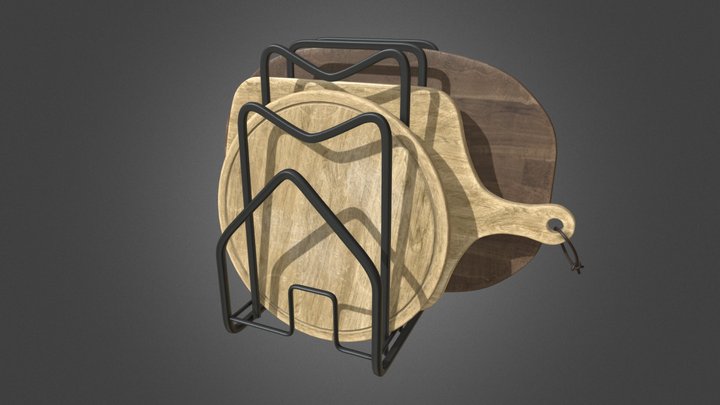
Cutting boards support
by grgry
3
Downloads
8
Likes
0
Makes
# Parametric Cutting Board Support
This is a parametric support for organizing your cutting boards. It features a honeycomb pattern to save material and provide a modern look, with tilted slots for better stability and accessibility.
## Files Included
- `Supports.scad`: The source file for OpenSCAD.
- `Supports.stl`: A ready-to-print version exported with the default parameters.
- Images:
- `01.cutting_board_support_front.jpg`: Front view of the support.
- `02.cutting_board_support_side.jpg`: Side view showing the tilt angle and stability margins.
- `03.cutting_board_support_one_big.jpg`: Detail view of the support.
- `04.cutting_board_support_full.jpg`: Final result in use.
## Parameters
You can customize the following variables at the beginning of the `.scad` file:
- `board_width`: Width of your biggest cutting board (in mm).
- `board_height`: Height of your biggest cutting board (in mm).
- `slot_spacing`: Space beetween support stands (I used thickness of biggest
This is a parametric support for organizing your cutting boards. It features a honeycomb pattern to save material and provide a modern look, with tilted slots for better stability and accessibility.
## Files Included
- `Supports.scad`: The source file for OpenSCAD.
- `Supports.stl`: A ready-to-print version exported with the default parameters.
- Images:
- `01.cutting_board_support_front.jpg`: Front view of the support.
- `02.cutting_board_support_side.jpg`: Side view showing the tilt angle and stability margins.
- `03.cutting_board_support_one_big.jpg`: Detail view of the support.
- `04.cutting_board_support_full.jpg`: Final result in use.
## Parameters
You can customize the following variables at the beginning of the `.scad` file:
- `board_width`: Width of your biggest cutting board (in mm).
- `board_height`: Height of your biggest cutting board (in mm).
- `slot_spacing`: Space beetween support stands (I used thickness of biggest
Did you print this model? Sign in and share your make!
Sign in to leave a comment
Sign inNo comments yet – be the first!