Creality Cloud
Godzilla
di
0
Download
0
Likes
0
Makes
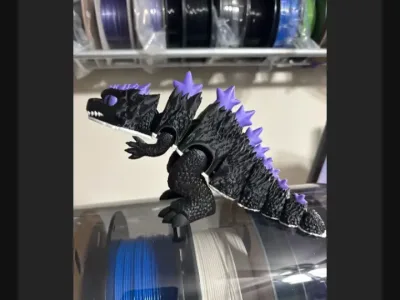
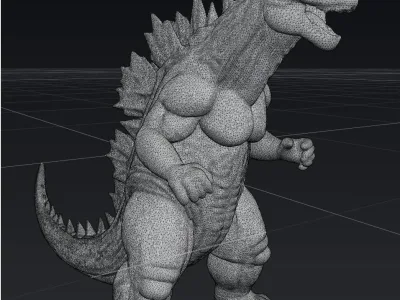
This is Fan-art modelDesign ConceptThis model embodies the iconic Godzilla in a highly detailed and accurate form. Its design aims to capture the essence and power of Godzilla, inspired by its classic look from popular media.PurposePerfect for fans of the legendary monster movies, this model can be used as a home decor piece, a collector's item, or a display model to showcase your love for Godzilla.Printing TipsFor optimal detail, use a high-resolution setting on your 3D printer. It's recommended to print with dark filament to capture the character's typical color scheme. Consider supports for the spikes on the back and tail to prevent any print errors.Assembly InstructionsNo assembly required, this 3D model is designed to be printed in a single piece. However, carefully remove any supporting structures post-printing to maintain detail integrity.Assembly InstructionsNo assembly is required, as the piece is intended to be printed in one piece. Simply place it on your desk and start using it right away.Legal Disclaimer:This 3D model was entirely created from scratch (by HomeDecor) using original 3D modeling software for the first time ever online. While reference images were used purely as visual inspiration, no assets, scans, or direct copies were used from any existing copyrighted material.The design is a fan-made, artistic interpretation, intended for personal use, educational purposes, or display. This model is not affiliated with, endorsed by, or connected to any official brand, franchise, or character holder.Redistribution or commercial use may require appropriate rights or licensing based on your region. Kindly respect the intellectual property of original creators when using or sharing.📩 For customization, contact me here📄 For commercial license, contact me here and for the 3d digital watermark removal
Hai stampato questo modello? Accedi e condividi il tuo make!
Accedi per lasciare un commento
AccediAncora nessun commento – sii il primo!