 Creality Cloud
Magnet Setter Pen
par
0
Téléchargements
0
Likes
0
Makes
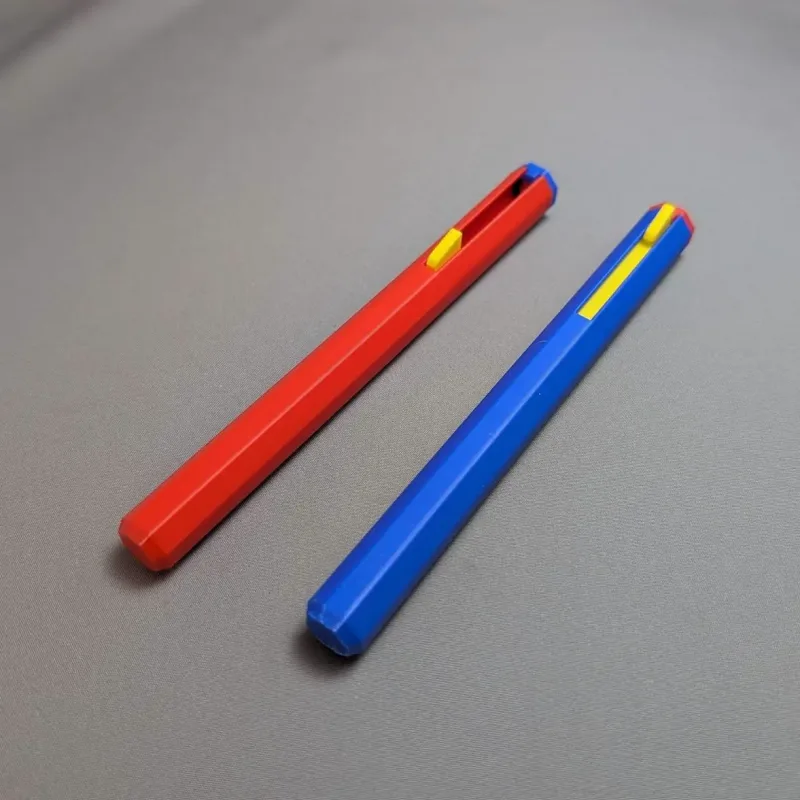
Tool to help place any sized magnet in the correct orientationWith this tool you can easily place any sized magnet in the correct orientation. Bring the slider down, attract the magnet, place magnet in proper location and bring the slider back up releasing the magnet.Print two of these tools to place magnets in either orientation.Print instructionsPrint the object in the orientation as the files. You may need a brim for the outer pen if you have poor bed adhesion.AssemblyYou will need at least one 6x2mm magnet (same as used in Gridfinity). Glue this magnet to the bottom of the inner slider. You can optionally add two more magnets, one in the top of the inner slider and one in the top cap to easily keep the slider in the up position. Make sure these two top magnets attract each other. Insert the slider in the outer shell and place the cap on top of the outer shell.If you create two of these tools make sure the magnet on the bottom of the inner slider are in different orientations.
Vous avez imprimé ce modèle ? Connectez-vous et partagez votre make !
Connectez-vous pour laisser un commentaire
Se connecterPas encore de commentaires – soyez le premier !