Slicer Discord
Pickaxe – 3D printable model from MakerWorld MakerWorld
Cosplay Weapons

Pickaxe

72 Downloads
19 Likes
40 Makes
Go to Model
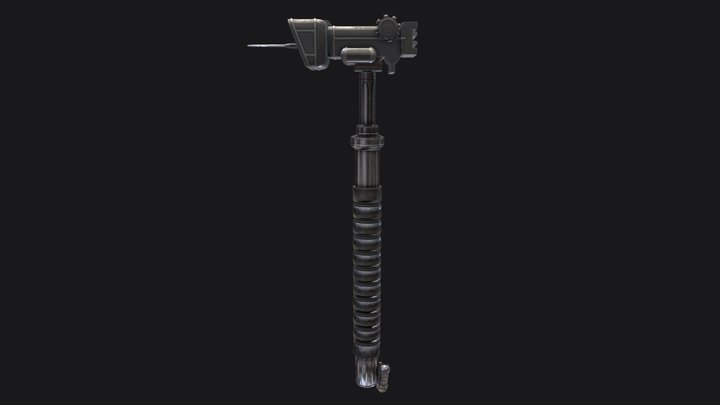
This model represents a two-part modular pickaxe, designed as a simple yet realistic hand tool consisting of a separate handle (shaft) and a distinct pickaxe head (metal part). Both elements are meant to be joined either by press-fit connection or with adhesive, allowing easy assembly and customization of the final look.The split construction gives this model a wide range of possible applications. It can be used as a decorative prop, workshop display item, educational model, cosplay accessory, diorama element, gaming-themed decoration, or collectible miniature tool. Thanks to the separate handle and head, users can experiment with different color combinations to imitate wood and metal, or any other creative variation they choose.The pickaxe head is shaped in a classic, universal style inspired by real mining and excavation tools. The handle is ergonomically proportioned to match both small-scale decorative use and larger prop-style prints. The joining socket has been designed for simpl
Category
Cosplay Weapons
Source
MakerWorld
Published
Updated
What you need to print this: Advanced Medium confidence
Why?
supports needed · very large print
Supports required May need scaling or splitting
Supports 2/3
Assembly 2/3
Settings 1/3
Bed size 3/3
Post-process 1/3
Printer
FDM / FFF
File format
STL
Material
PLA, Wood PLA
Min. bed size
300 mm (Extra large)
Post-processing
Gluing
Software
Cura, PrusaSlicer, or similar
Same designer, more platforms

ProjektDruk3D also publishes on

1 additional models across 1 more platforms

Verified by matching model titles across platforms.
Frequently Asked Questions
Which 3D printer is suitable for Pickaxe?
Any FDM printer should handle Pickaxe just fine. It's been printed on machines like Bambu Lab X1C, Prusa MK4, Creality K1 Max, Anycubic Kobra Max. A minimum build volume of 300 mm is recommended.
Does Pickaxe need supports when printing?
Yes, Pickaxe will probably need supports for the overhangs. Tree supports work well here and are easier to remove than regular ones.
What file format is Pickaxe available in?
Pickaxe is available in STL format. These files can be opened and sliced using free software such as Cura, PrusaSlicer, Bambu Studio, or OrcaSlicer for FDM printing, or ChiTuBox and Lychee Slicer for resin printing. The download is provided through MakerWorld.
Is Pickaxe free to download?
Yes, Pickaxe is available as a free download through MakerWorld. Always check the license on the original platform to understand commercial use, remixing, and attribution requirements.
No ratings yet
No comments yet – be the first!

Similar Models

6 Suggestions
Feed Blog Slicer Cost Calculator Image Search Submit Kontakt Discord ☕ Buy me a coffee
DE EN FR ES IT NL

Add to Collection