Slicer Discord
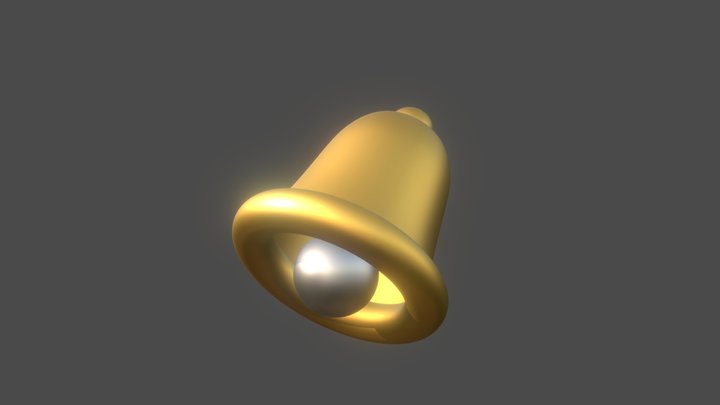
Ringing Bell (PPS-CF/PPA-CF) – Modèle 3D imprimable de MakerWorld MakerWorld
Music

Ringing Bell (PPS-CF/PPA-CF)

par Steve_D · Music
422 Téléchargements
49 Likes
76 Makes
Voir le modèle
This is a bell I have modeled specifically for PPS-CF or PPA-CF. Other filaments may vary. I printed this with an X1C on the smooth plate. Bed temp at 120C and nozzle at 300C. It rings quite well when struck, similar to an aluminum bell. I've attempted this same bell in multiple other filaments and materials, and, while they do print a very nice-looking bell, they do not ring. This model needs very good bed adhesion. Clean your print surface well before printing, and make sure your temperatures are stablilized before printing. If printing in PPS-CF or PPA-CF. This needs an enclosure, and I recommend heating the enclosure to 50C prior to starting the print. Annealing recommendations-100C for 1 hour, 160C for 12 hours, 80C for 1 hour, let cool naturally. The bell will ring un-annealed, but sounds much better when annealed.
Catégorie
Music
Source
MakerWorld
Publié
Mis à jour
Ce qu'il faut pour imprimer: Intermédiaire Confiance moyenne
Monobloc
Supports 1/3
Assemblage 0/3
Réglages 1/3
Taille du plateau 0/3
Post-traitement 1/3
Imprimante
FDM / FFF
Format de fichier
STL
Matériau
PLA, Carbon Fiber
Plateau min.
50 mm (Petit)
Temps estimé
1 h
Post-traitement
Ponçage
Logiciel
Cura, PrusaSlicer ou similaire
Questions fréquentes
Quelle imprimante 3D convient pour Ringing Bell (PPS-CF/PPA-CF) ?
N'importe quelle imprimante FDM devrait convenir pour Ringing Bell (PPS-CF/PPA-CF). Il a été imprimé sur des machines comme Bambu Lab A1 Mini, Prusa Mini+, Creality Ender 3, most FDM printers. Un volume d'impression minimum de 50 mm est recommandé.
Combien de temps faut-il pour imprimer Ringing Bell (PPS-CF/PPA-CF) ?
Selon les notes de conception, l'impression de Ringing Bell (PPS-CF/PPA-CF) prend environ 1 heures aux réglages standards (hauteur de couche 0,2 mm, remplissage 15 %). Le temps réel varie selon la vitesse de l'imprimante, la hauteur de couche et la densité de remplissage.
Dans quel format de fichier Ringing Bell (PPS-CF/PPA-CF) est-il disponible ?
Ringing Bell (PPS-CF/PPA-CF) est disponible au format STL. Ces fichiers peuvent être ouverts et découpés avec des logiciels gratuits tels que Cura, PrusaSlicer, Bambu Studio ou OrcaSlicer pour l'impression FDM, ou ChiTuBox et Lychee Slicer pour l'impression résine. Le téléchargement est fourni via MakerWorld.
Ringing Bell (PPS-CF/PPA-CF) est-il téléchargeable gratuitement ?
Oui, Ringing Bell (PPS-CF/PPA-CF) est disponible en téléchargement gratuit via MakerWorld. Vérifiez toujours la licence sur la plateforme originale pour comprendre les conditions d'utilisation commerciale, de remix et d'attribution.
Pas encore d'évaluations
Pas encore de commentaires – soyez le premier !
Modèles similaires

6 Suggestions
Feed Blog Slicer Calculateur Recherche par image Soumettre Contact Discord ☕ Buy me a coffee
DE EN FR ES IT NL

Ajouter à la collection