 Thingiverse
Vacuum Dust Extractor Adapter - Parametric
por lukaswass
3
Descargas
8
Likes
0
Makes
A fully parameterized dust extractor/vacuum adapter.
Easily customize the adapter for the exact dimensions you need!
###How to edit parameters?
Open the included .f3d file in Fusion 360.
**dustextractoradapterparametric.f3d**
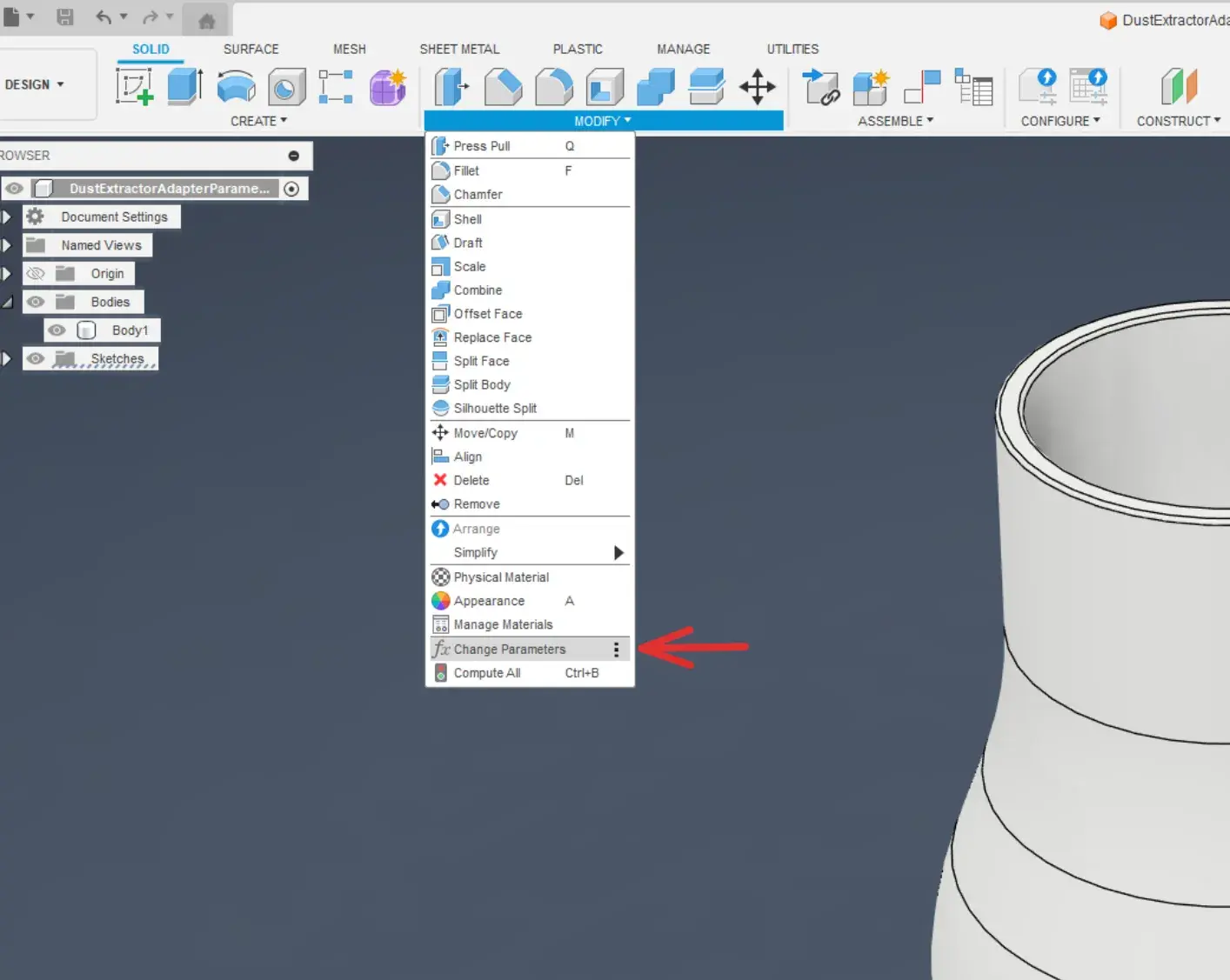
### Find the parameters menu
Go to the **Modify** dropdown and click on **Change Parameters**.
### What the parameters change
To change the measurements you need to change the “Expression” column.
Fusion wont allow you to change the “Value" column.
#### Available parameters:
`INPUT_WIDTH` - Inside width of the input side
`INPUT_HEIGHT` - Height of the input section
`REDUCER_LENGTH` - The length for the transition between input & output
`OUTPUT_WIDTH` - Outside width output side
`OUTPUT_HEIGHT` - Height of the output section
`WALL_THICKNESS` - Wall thickness of the adapter

### What the parameters change
To change the measurements you need to change the “Expression” column.
Fusion wont allow you to change the “Value" column.
#### Available parameters:
`INPUT_WIDTH` - Inside width of the input side
`INPUT_HEIGHT` - Height of the input section
`REDUCER_LENGTH` - The length for the transition between input & output
`OUTPUT_WIDTH` - Outside width output side
`OUTPUT_HEIGHT` - Height of the output section
`WALL_THICKNESS` - Wall thickness of the adapter


